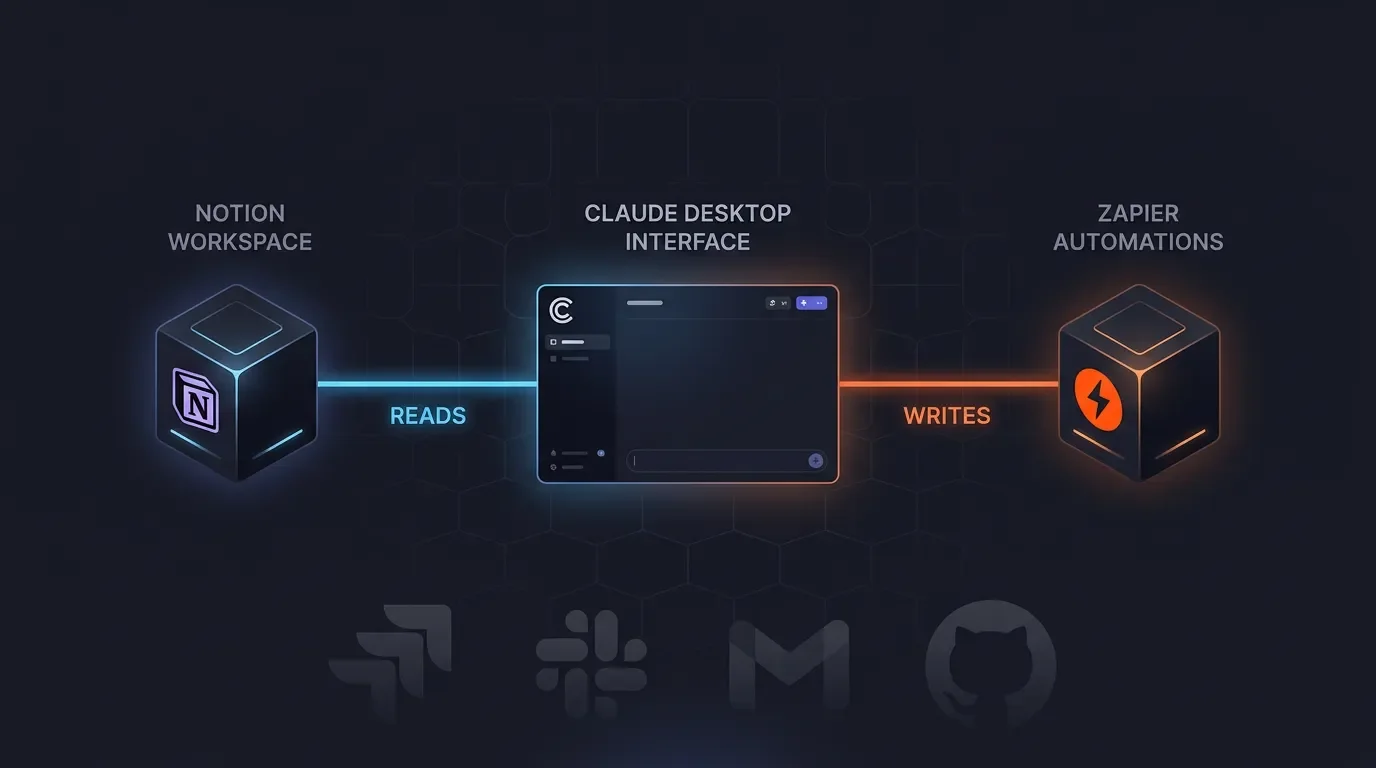
Zapier MCP can't read Notion. Here's how to fix it with a second MCP server.
Zapier MCP's Notion integration is write-only — 8 operations, zero database reads. The fix is a second MCP server: run Notion's official `notion-mcp-server` alongside Zapier MCP in Claude Desktop so Claude auto-routes reads to one and writes to the other. Covers the exact JSON config, tool namespacing, a full read-write loop, four PM power workflows, and the June 2026 workspace-level rate limit gotcha.

Zapier MCP gives Claude write access to Notion and 9,000+ other apps — but there's a gap most people hit within the first real workflow: Zapier's Notion integration has no read operations. No database query, no page read. Claude can create a page but can't look up whether a matching record already exists first.
The fix is a second MCP server running in parallel. Configure Notion's official
notion-mcp-server alongside Zapier MCP inside Claude Desktop's config file, and the two servers cover each other's blind spots: notion-mcp-server handles all Notion reads; Zapier MCP handles Notion writes and every cross-app action. One Claude conversation now spans the full read-write-orchestrate loop. 1 2No community tutorial covers this combination as of today. The pattern is a first-mover synthesis.
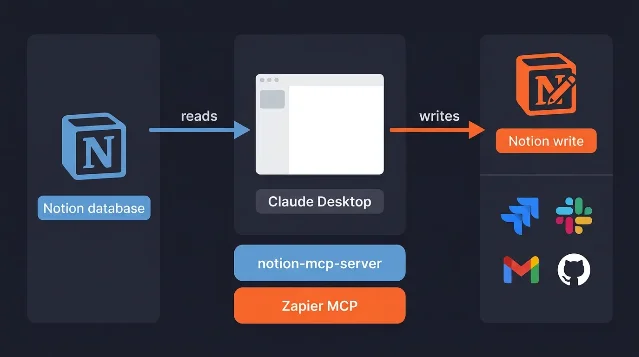
notion-mcp-server owns all Notion reads; Zapier MCP owns writes and cross-app calls. AI-generated diagram. Prerequisites
| Requirement | Details |
|---|---|
| Notion plan | Free and above — notion-mcp-server uses the standard Notion API, no paid tier required |
| Zapier plan | Free and above — MCP is included on all plans, draws from your existing task quota |
| Claude Desktop | Version with Developer mode and MCP support (Settings → Developer → Edit Config) |
| Notion internal integration | Create one at notion.so/profile/integrations; share it to each database you want to read; copy the secret_ token |
| Zapier MCP URL | Generated from zapier.com/mcp — configure Notion write actions there before wiring it to Claude |
Cost model:notion-mcp-serverreads are free (subject to Notion API rate limits). Every successful Zapier MCP tool call consumes 2 Zapier tasks from your plan quota. 2 A typical read-then-write workflow costs 2 tasks total (the read is free; only the Zapier write call is charged).
Setup: 5 steps to dual-server
Step 1 — Create a Notion internal integration and get its token
Go to https://www.notion.so/profile/integrations, create a new internal integration, and copy the
secret_ token. Then share each Notion database you want to query with that integration (open the database → ⋯ menu → Connections → add your integration). 1The
notion-mcp-server npm package uses this token via OPENAPI_MCP_HEADERS. Tokens for internal integrations do not expire.Confirmation signal: The integration appears under Connections in the databases you shared to it.
Step 2 — Get your Zapier MCP server URL
Log into mcp.zapier.com, configure the Notion actions you want (Create Database Item, Update Database Item, etc.), and copy the MCP server URL. 2 Add any other cross-app actions here (Jira ticket creation, Slack messages, Gmail drafts).
"Your MCP server URL is like a password. Do not share it, as it can be used to run your actions and access your data." — Zapier Help Center 2
Step 3 — Edit claude_desktop_config.json
Open Claude Desktop → Settings → Developer → Edit Config. Add both servers as named keys under
mcpServers:{
"mcpServers": {
"notion-read": {
"command": "npx",
"args": ["-y", "@notionhq/notion-mcp-server"],
"env": {
"OPENAPI_MCP_HEADERS": "{\"Authorization\": \"Bearer YOUR_NOTION_BEARER_TOKEN\", \"Notion-Version\": \"2022-06-28\"}"
}
},
"zapier-write": {
"transport": "sse",
"url": "YOUR_ZAPIER_MCP_SERVER_URL"
}
}
}Replace
YOUR_NOTION_BEARER_TOKEN and YOUR_ZAPIER_MCP_SERVER_URL with your actual values.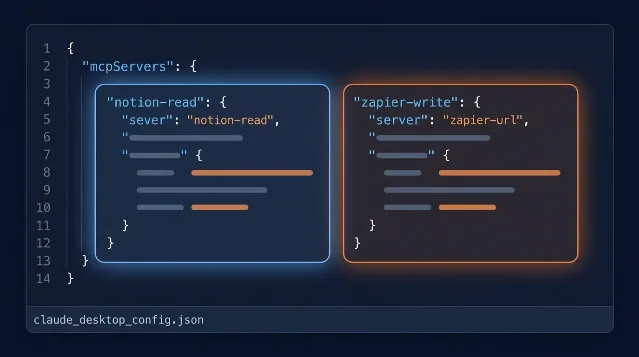
claude_desktop_config.json — blue block for notion-read, orange block for zapier-write. AI-generated illustration. Confirmation signal: Save the file, then restart Claude Desktop. Open a new conversation and type
list available tools. You should see tools prefixed with notion-read→ (database query, page read, search) and zapier-write→ (Notion create/update, Jira, Slack, etc.) as separate namespaced groups.Step 4 — Verify tool namespacing
Claude Desktop isolates each server's tools under its key name.
notion-read→search and zapier-write→search are distinct tools the agent routes separately — the read server's search queries Notion directly via the API; the write server's search runs through Zapier. 2Test with: "Query my Roadmap database for all items where Status = 'In Progress' and Priority = 'P0'." Claude should call
notion-read→query_database, not the Zapier server.Step 5 — Run a full read-write loop
Prompt: "Find all Notion tasks in the Sprint Backlog database where Assignee = me and Due Date = this week. For each one that's Blocked, create a Jira ticket with the task name and Notion page URL."
Claude will:
- Call
notion-read→query_databasewith your filter — 0 Zapier tasks consumed - For each blocked task, call
zapier-write→create_jira_issue— 2 Zapier tasks per call
Power workflows this unlocks
Sprint-to-Jira sync: Query Notion sprint database for P0 blockers → create Jira tickets with page links, all in one prompt. Previously impossible without a separate Zap or n8n flow.
Dedup-aware record creation: Before creating any Notion page, query first. "Search the CRM database for a company named Acme Corp. If found, update the Last Contacted date. If not found, create a new record." Zapier MCP alone would create duplicates every time since it can't read first.
Cross-app status mirror: "For every Notion roadmap item that moved to Done this week, post a Slack summary and log the completion date in the corresponding row." The read identifies which items moved; the write updates Notion and calls Slack — both in one conversation turn.
Meeting notes → action items → tasks: Paste a meeting transcript and prompt: "Extract action items, check the Notion Task DB for any duplicates, then create new tasks for the net-new ones and assign them to the right people."
Gotchas
| Issue | What happens | Fix |
|---|---|---|
| Workspace rate limit (June 16, 2026) | Both MCP servers share one Notion workspace rate limit pool — high-throughput workflows can throttle both connections simultaneously 3 | Batch reads before writes; add delays between bulk operations |
| GitHub Issue #221 | Notion's Custom Agent MCP client sends non-standard fields that break external MCP servers — this dual-server pattern is not affected because Claude Desktop is the client, not Notion Custom Agent 4 | No action needed; use Claude Desktop, not Notion Custom Agent |
| Bearer token expiry | If using the Notion remote OAuth endpoint (mcp.notion.com) directly, access tokens expire after 1 hour (refresh tokens last 30 days). The @notionhq/notion-mcp-server npm package with an internal integration token does not have this expiry issue. 1 | Use an internal integration token for Claude Desktop (no expiry). If using the OAuth flow, build a token refresh mechanism |
| Single active client at a time | Zapier MCP supports multiple AI clients sharing one URL, but only one client can initiate tool calls at a time 2 | Don't run parallel Claude Desktop sessions using the same Zapier MCP URL simultaneously |
| Zapier MCP's Notion write limit | Zapier's Notion integration covers 8 write operations — no Filter Database or Get Page Content 5 | Use notion-read server for all Notion reads; Zapier only for writes and cross-app actions |
| Failed calls cost zero | Only successful Zapier MCP tool calls consume 2 tasks — failed or errored calls are free 2 | Safe to retry on transient failures without burning task quota |
The pattern works today with stable, documented endpoints on both sides. The only moving part is the one-time setup — internal integration token in the Notion config, Zapier MCP URL in the Zapier config. Once both are in
claude_desktop_config.json, Claude routes read and write calls to the right server without any manual orchestration.
围绕这条内容继续补充观点或上下文。